Neops Web Client 4.0.0
Released 2026-07-23
This release changes sign-in from a web-client-specific setup to a backend-driven authentication flow. Users now see the login methods that their Neops deployment actually provides, while operators manage identity providers centrally in the backend.
At a glance
| Area | What changed | Why it matters |
|---|---|---|
| Login page | Named single sign-on providers can appear beside local username and password login. | Users can immediately choose the sign-in method intended for their organization. |
| SSO callback | The web client completes the backend-managed sign-in and removes the one-time code from the browser address. | The login handoff is safer and does not leave an authorization code in browser history. |
| Authentication errors | Common account and provider problems now have readable messages. | Users know whether to retry, verify their email, or contact an administrator. |
| Deployment configuration | OIDC providers and local-login availability come from Neops application settings. | Operators configure authentication once in the backend instead of duplicating provider JSON in the client. |
Highlights
Show the right login choices for each deployment
The login page asks Neops which authentication methods are available and builds the page from that response. Each OpenID Connect (OIDC) provider appears with its configured display name.
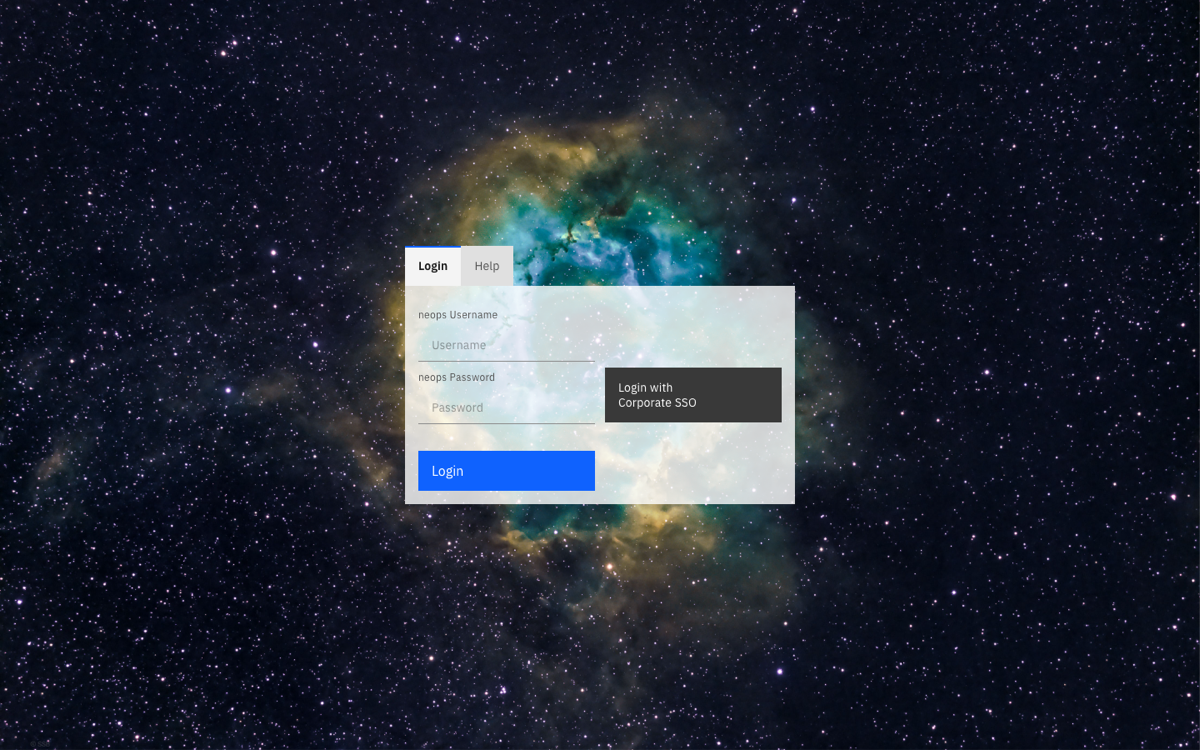
This example deployment offers both a named SSO provider and local Neops credentials.
What a user sees depends on the backend configuration:
| Deployment setup | Login page behavior |
|---|---|
| Local login only | The username and password form is shown. |
| One or more OIDC providers | Each provider is shown as a named SSO button. |
| Local login and OIDC | Both choices are available on the same page. |
| No enabled login method | The page reports that no login method is available instead of presenting an unusable form. |
There is no OIDC provider list to maintain in the web-client environment.
Complete SSO without losing the original destination
The visible sign-in flow is:
- The user selects a named SSO provider on the Neops login page.
- The backend sends the user to the organization’s identity provider.
- The identity provider returns a one-time code to the Neops callback page.
- The web client exchanges the code for the Neops session, removes the code from the address, and opens Neops.
When Neops sent the user to login from a protected page, a safe local return path can bring them back to the page they originally requested.
Turn authentication failures into a next action
The callback page distinguishes the most useful failure cases:
| Message | What the user should do |
|---|---|
| Account inactive | Contact a Neops administrator. |
| Email not verified | Verify the email address with the identity provider, then try again. |
| Identity-provider error | Retry the sign-in or contact the identity-provider administrator. |
| Missing or invalid code | Return to login and start a fresh sign-in. |
This replaces a failed or incomplete callback with guidance that a non-technical user can follow.
Upgrade notes
Neops Web Client 4.0.0 uses Neops Web SDK 4.0.1 and Neops Angular GraphQL Client 2.0.0. Deploy it with a compatible Neops backend that exposes the application settings and OIDC code-exchange operations used by this flow.
Configure OIDC providers, their display names, and local-login availability in the Neops backend. No OIDC provider JSON or client-side OIDC environment variable is required in the web client.
Technical details